

iPad Air Repair Cracked Screens, Battery Drain, and Permanent Solutions
Apple’s iPad Air models, known for their sleek, lightweight, and powerful design, are essential tools for both work and entertainment. However, their portability also increases the risk of accidental drops and impact damage. Looking at Google search trends, we see that users are primarily searching for reliable solutions regarding iPad Air screen replacements and battery issues.
In this guide, we will explore the most common problems you might face with your iPad Air, the symptoms of these hardware failures, and how a professional repair process should be executed—explained in a technical yet accessible way.

What Are the Most Common iPad Air Hardware Failures?
When it comes to iPad Air repairs, the vast majority of devices arriving at our lab share similar symptoms. Here are the specific technical issues users search for the most:
1. iPad Air Screen and Glass Repair
Many users search for “iPad Air glass cracked but touch works.” This indicates that only the outer glass panel has sustained damage. However, if the display has gone completely black or is showing colored vertical lines (ink bleeding), the inner LCD panel is also compromised and requires replacement.
The Solution: At a professional repair facility, either the outer glass or the full LCD assembly must be replaced using high-quality parts. Using cheap aftermarket screens will permanently ruin your display resolution and negatively impact Apple Pencil sensitivity.
2. iPad Air Not Charging Issue
A frequent complaint we hear is, “My iPad Air won’t recognize the charger.” There are typically three underlying culprits for this problem:
Charging Port Dirt or Oxidation: Over time, accumulated dust or minor liquid exposure can corrode the contact pins inside the port.
Charging IC (U2 Tristar) Failure: Using uncertified, non-original power adapters and cables can burn out the charging management chip on the motherboard, completely preventing the device from drawing power. Fixing this requires advanced micro-soldering expertise.
Depleted Battery Lifespan: If your device displays 100% while plugged in but immediately shuts down the moment you unplug it, the issue lies with a dead battery, not the charging port.
3. iPad Air Battery Replacement
If your tablet runs significantly slower than it used to or the battery drains rapidly, it has likely reached its maximum cycle count. The most important detail for users searching for “iPad Air battery replacement” is this: a severely degraded and swollen battery will eventually expand, pushing against the display from the inside until the screen cracks. Early intervention saves the rest of the device.
Why Choose a Premium Professional Repair Service?
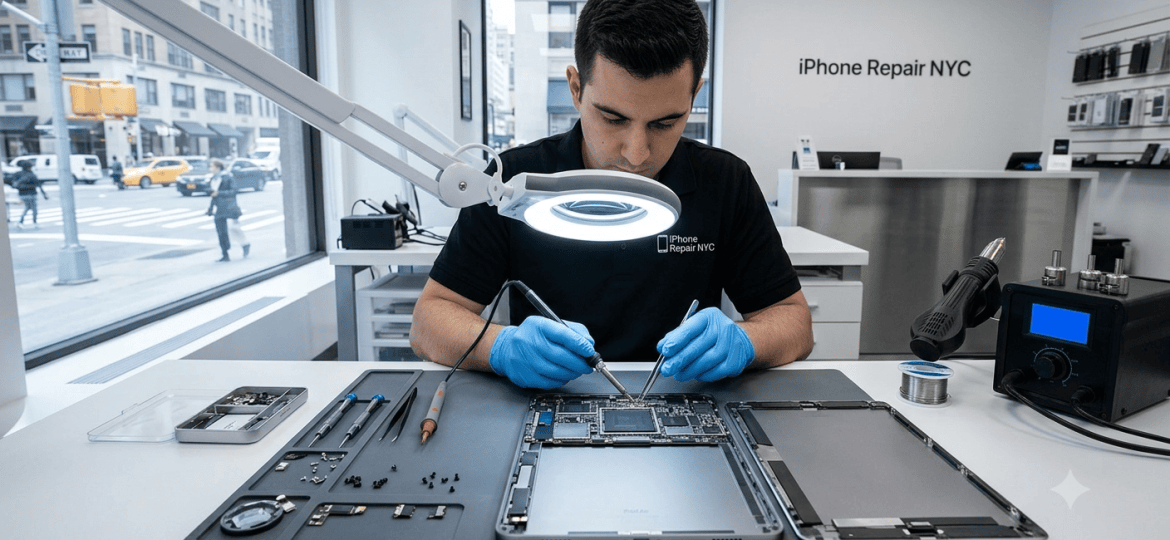
iPad Air repair is not a simple “plug-and-play” process. It requires safely applying targeted heat to separate the screen without damaging it, protecting delicate flex cables on the logic board, and properly resealing the device against dust and moisture after the repair is complete.
Instead of relying on unverified mall kiosks, choosing a high-tech lab environment capable of component-level micro-soldering significantly extends the life of your expensive Apple hardware.
Does your device need expert care? Bring your iPad to our lab at 10 East 39th Street, 9th Floor, Suite 903, or call us at 646 698 2228 to get technical advice and a fast solution. We are open weekdays from 9:30 AM to 6:30 PM, and weekends from 12:00 PM to 6:30 PM. Don’t delay your repairs and put your device at risk.
