

Trade-In Preparation • Midtown Manhattan
Should You Repair Cracked iPhone Back Glass Before Trade-In?
A cracked iPhone back can turn an exciting upgrade into an uncertain trade-in decision. Physical damage may affect eligibility or the final credit, but repairing the phone first is not automatically the best financial choice. The smart approach is to compare the numbers before approving any work.
Can Cracked Back Glass Affect an iPhone Trade-In?
Yes. Trade-in providers evaluate the model, working condition and physical condition of the device. Back-glass damage may reduce the offer or change how the phone is classified, depending on the provider and promotion.
Apple explains that an estimated value can be revised when the inspected condition does not match the condition originally described. Check the current terms and estimate directly through Apple Trade In or your chosen carrier before making a repair decision.
When Does Back Glass Repair Before Trade-In Make Sense?
Use this simple comparison:
Estimated value after repair − current damaged-device offer − repair cost = possible net benefit
For example, if repairing the back glass is expected to restore more verified trade-in value than the complete repair cost, the repair may be worthwhile. If the difference is small or uncertain, trading the phone in as-is, selling it honestly as damaged or keeping it as a backup may be more practical.
Promotional carrier offers can use different condition rules from standard trade-in programs. Always read the specific offer rather than assuming every provider treats cracked back glass the same way.
What Should Be Inspected Before Repair?
Back Glass and Frame
A technician should check whether the damage is limited to the rear glass or also involves a bent frame, separated housing or sharp missing pieces. Structural damage can change the repair recommendation.
Camera Lenses and Camera Performance
A crack near the camera area may be accompanied by a damaged lens cover, focus problems, image shaking or dust inside the camera opening. Test every rear camera before deciding that the problem is only cosmetic.
Wireless Charging and MagSafe
Confirm that wireless charging works consistently. Impact damage can sometimes affect more than the visible glass, so a working-condition check is important before and after repair.
Screen, Battery and Charging Port
Trade-in preparation should include the entire phone. Test touch response, display quality, battery behavior, wired charging, microphones, speakers, buttons and Face ID. If the front is also damaged, compare costs using our iPhone screen replacement cost guide.
Do Not Hide or Misreport the Damage
Describe the phone accurately when requesting an estimate. A mail-in quote is normally conditional until the device is received and inspected. Photograph the device before shipping it and keep a record of the condition, serial number and tracking information.
If you decide to repair the phone, keep the receipt and test the device completely afterward. A successful cosmetic repair should not distract from unresolved camera, charging, frame or liquid-damage symptoms.
Prepare the iPhone After You Make Your Decision
Do not erase the phone until your information has transferred successfully. Apple’s official trade-in preparation guide recommends backing up the device and completing the required account and device steps before sending it in.
- Back up and transfer your photos, messages and important data
- Confirm that authentication apps and passwords are available
- Unpair an Apple Watch when applicable
- Turn off Find My and follow the provider’s sign-out instructions
- Remove the physical SIM when applicable
- Erase the device only after the transfer is confirmed
Back Glass Inspection and Repair in Midtown NYC
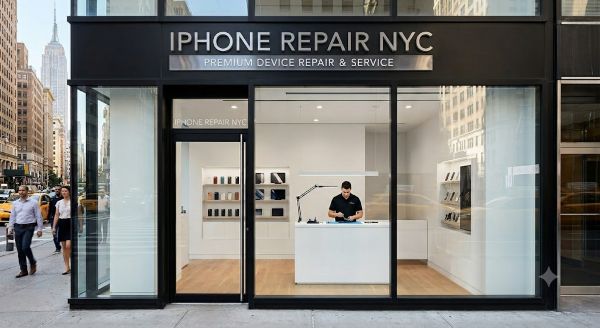
At iPhone Repair NYC, we can inspect cracked rear glass, the frame, camera lenses, charging functions and other visible concerns before your trade-in. We explain the repair option clearly so you can compare the cost with the provider’s estimated value. Same-day service is available for many models, subject to damage and part availability. Walk-ins are welcome.
For more preparation tips, read our iPhone trade-in value guide.
iPhone Repair NYC
10 East 39th Street, 9th Floor, Suite 903
New York, NY 10016
Near Grand Central Terminal and Bryant Park
(646) 698-2228
Frequently Asked Questions
Can I trade in an iPhone with cracked back glass?
Possibly, but eligibility and value depend on the provider, model, promotion and complete condition of the phone. Request an estimate using an accurate description of the damage.
Will cracked back glass lower the trade-in value?
It can. The final impact varies by program, and a quoted value may change after physical inspection.
Should I always repair the back glass before trade-in?
No. Compare the damaged-device offer, the expected offer after repair and the complete repair cost. Repair only when the numbers and device condition make sense.
How long does iPhone back glass repair take?
Timing depends on the iPhone model, damage and part availability. Same-day service is available for many models after inspection.
Can you check my iPhone before I authorize the repair?
Yes. We can inspect the visible damage and basic functions first, then explain the available repair option.
Where can I get iPhone back glass repair near Grand Central?
iPhone Repair NYC is located at 10 East 39th Street, Suite 903, near Grand Central Terminal and Bryant Park. Walk-ins are welcome.
